What Is P2P Trading?
P2P (Peer-to-Peer) trading allows users to buy and sell cryptocurrencies directly with one another, without intermediaries. Unlike traditional exchange-matching models, P2P trading gives users the flexibility to choose trading partners, negotiate prices, and select preferred payment methods independently. Hotcoin P2P supports trading cryptocurrencies using fiat currencies such as CNY, THB, and other local options. The platform integrates escrow protection, order-matching tools, and a dispute resolution system to ensure secure, transparent, and fair transactions.
How to Buy Crypto via P2P on the Web
1. Enter the P2P Page
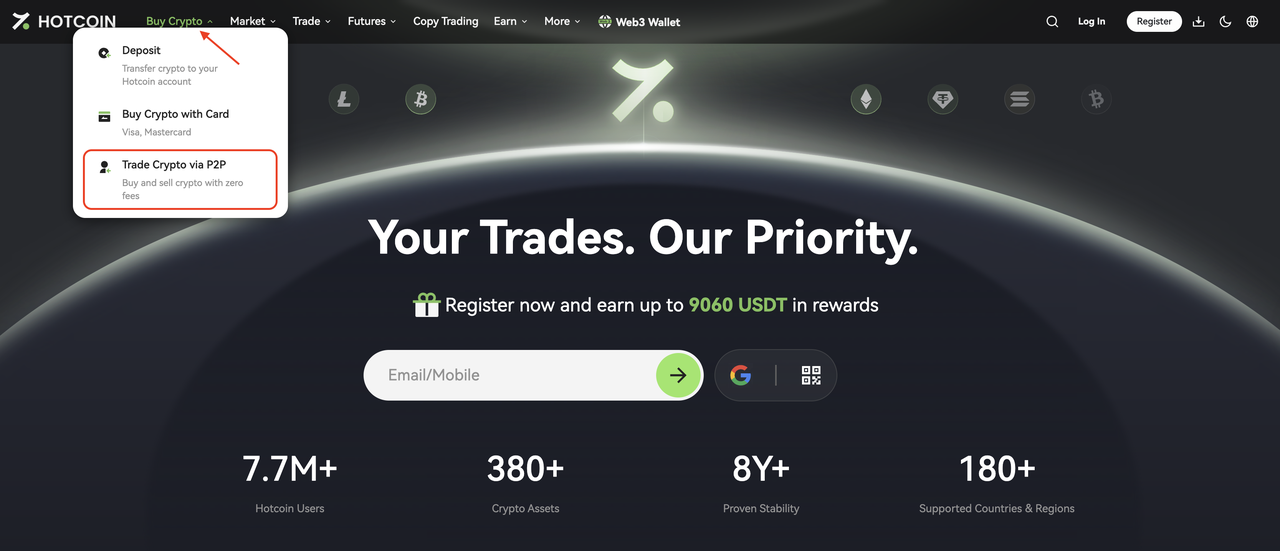
Log in to the Hotcoin website, hover over the Buy Crypto menu in the top navigation bar, and select Trade Crypto via P2P from the dropdown to enter the trading page.
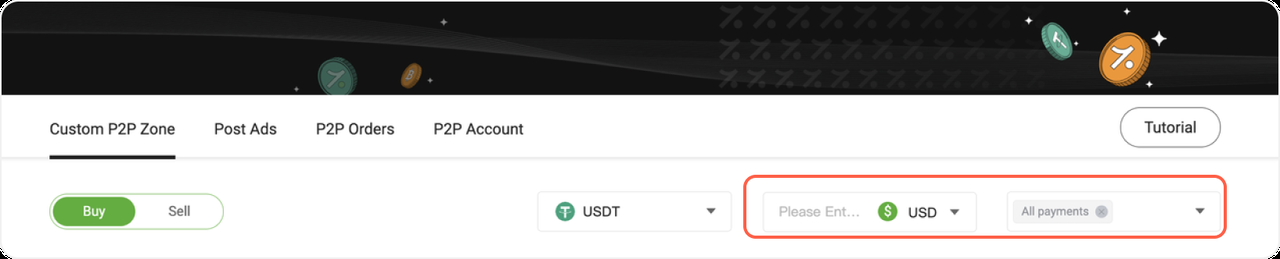
2. Set Your Trading Preferences
- Cryptocurrency: USDT
- Fiat currency: Automatically matched based on your account settings
You may also:
- Enter the amount you plan to pay (it is recommended to start with a small amount, such as 100–500)
- Select a payment method (such as Alipay, WeChat Pay, or bank transfer)
3. Select a Merchant
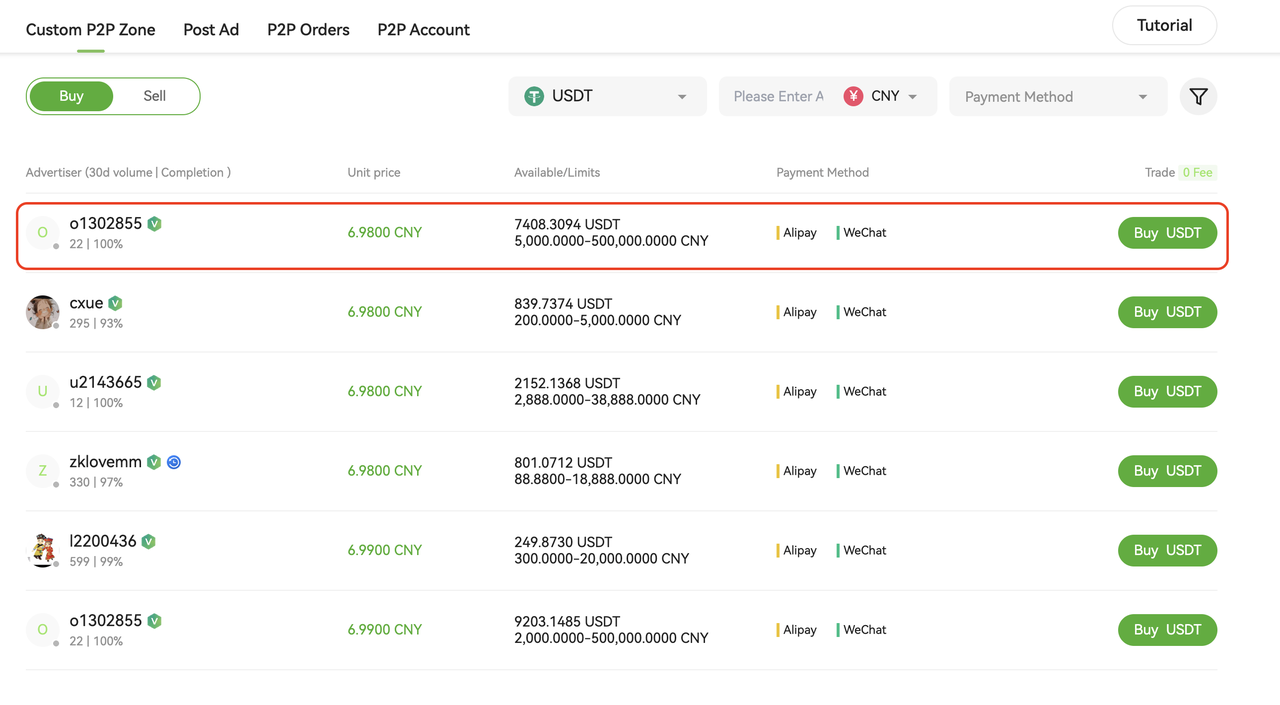
Each merchant listing displays:
- USDT price
- Available quantity
- Order limit per transaction
- Supported payment methods
When choosing a merchant, consider the following:
- Price: Choose a merchant with a price that meets your expectations
- Limit: Ensure your purchase amount falls within the merchant’s order limits
- Completion rate: Prefer merchants with a completion rate above 95% for more reliable transactions
- Payment methods: Make sure the merchant supports your preferred payment method
4. Create an Order
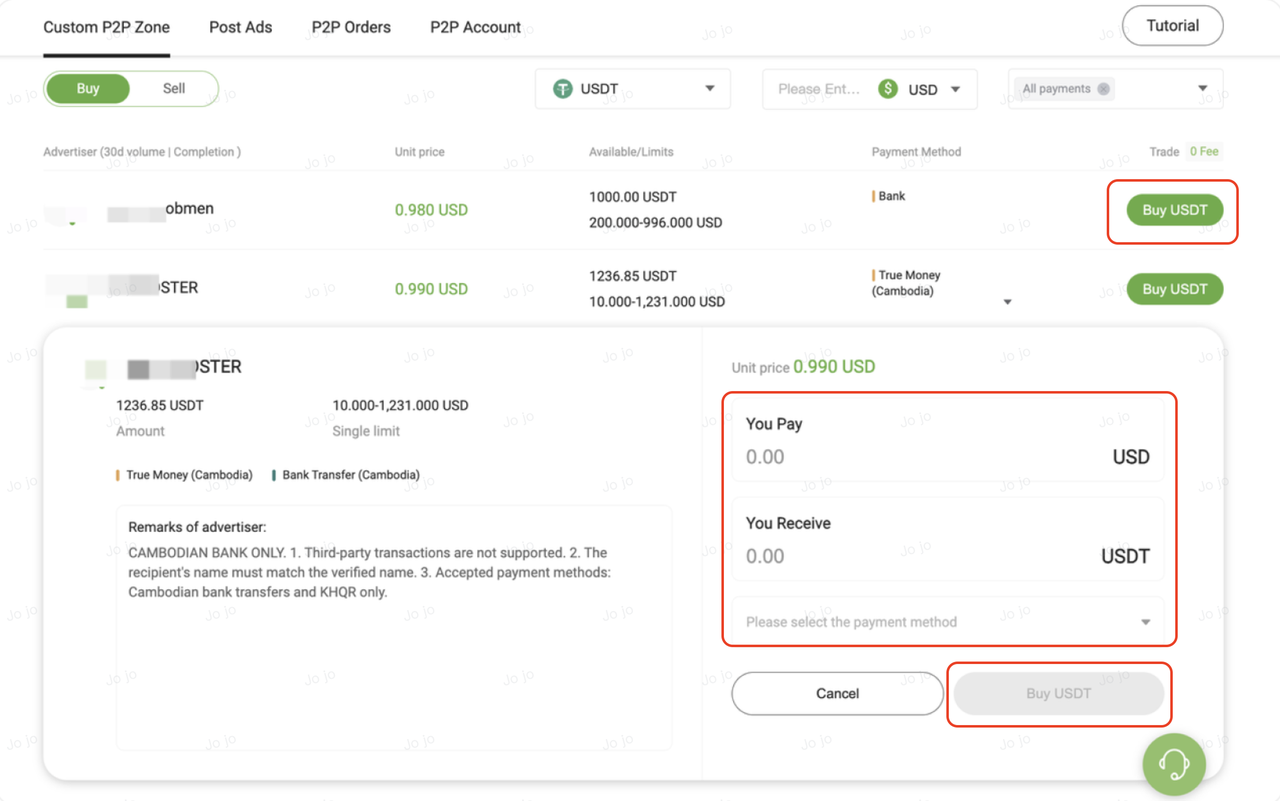
Click the green Buy USDT button on the right side of the merchant to enter the order page.
- Enter the fiat amount in You Pay
- Or enter the USDT amount in You Receive
- The system will automatically calculate the corresponding amount
After confirming the details, click Buy USDT to create the order and proceed to the pending payment page.
⚠️ Important: Once the order is placed, the price is locked in. Payment must be completed within 15 minutes, or the order will be automatically cancelled.
5. Complete the Transfer
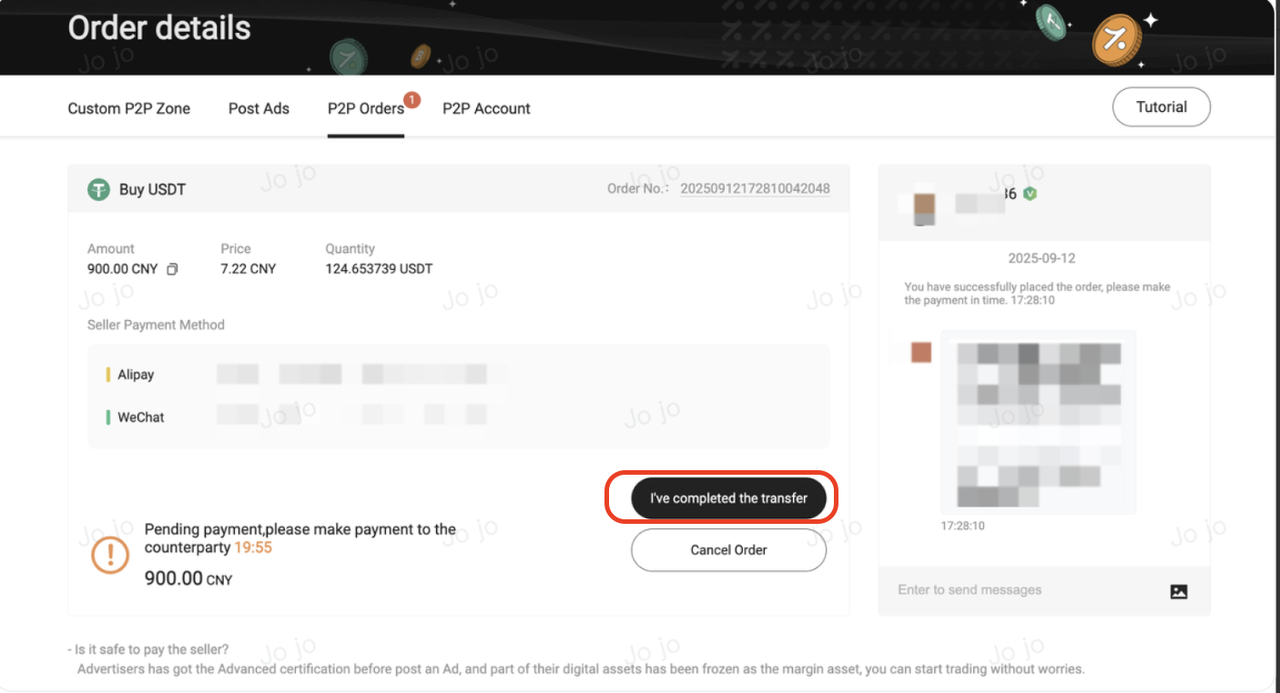
On the Pending Payment page:
- Check the order details
- View the seller’s payment information
- Read the merchant’s chat messages
Once you are ready, complete the transfer using the payment method provided by the seller. After the transfer is done, click I Have Completed the Transfer.
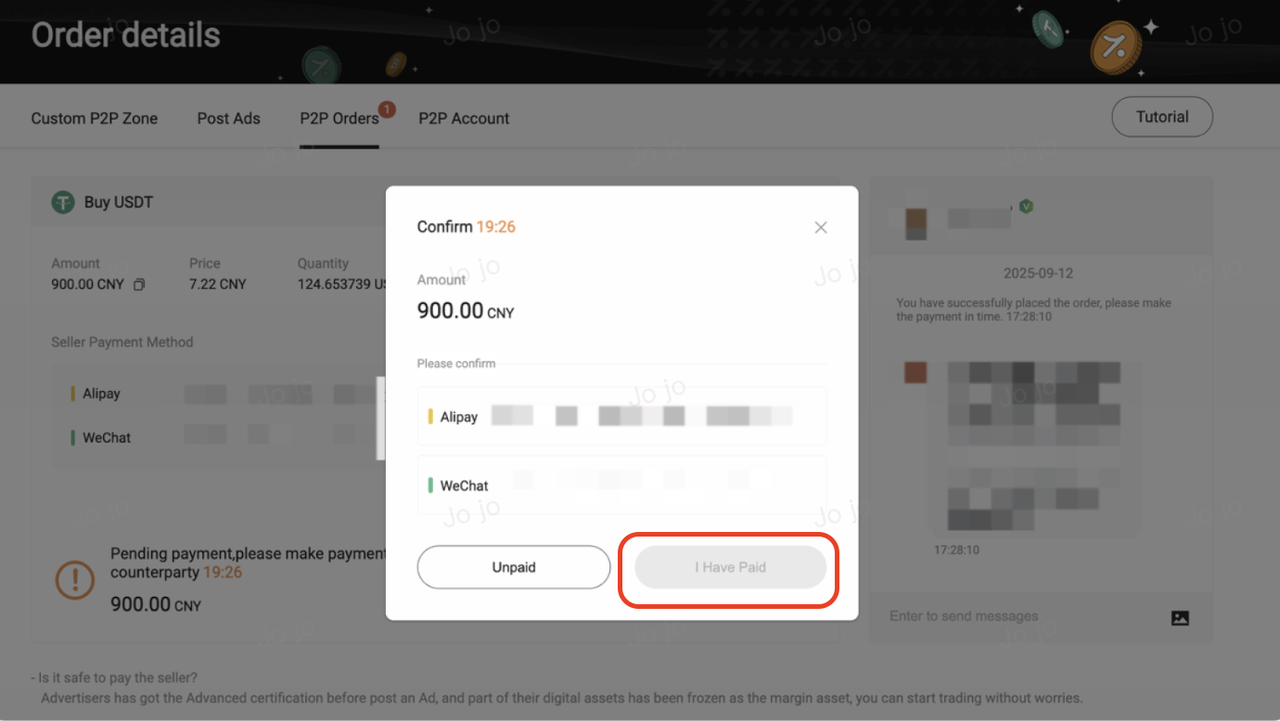
In the confirmation pop-up, select the payment method you used and click I Have Paid.
⚠️ Security Reminder
- Please complete the transfer within the remaining payment time
- Use only a payment account verified under your own name
- Do not include any cryptocurrency-related information in the transfer remark
6. Complete the Order
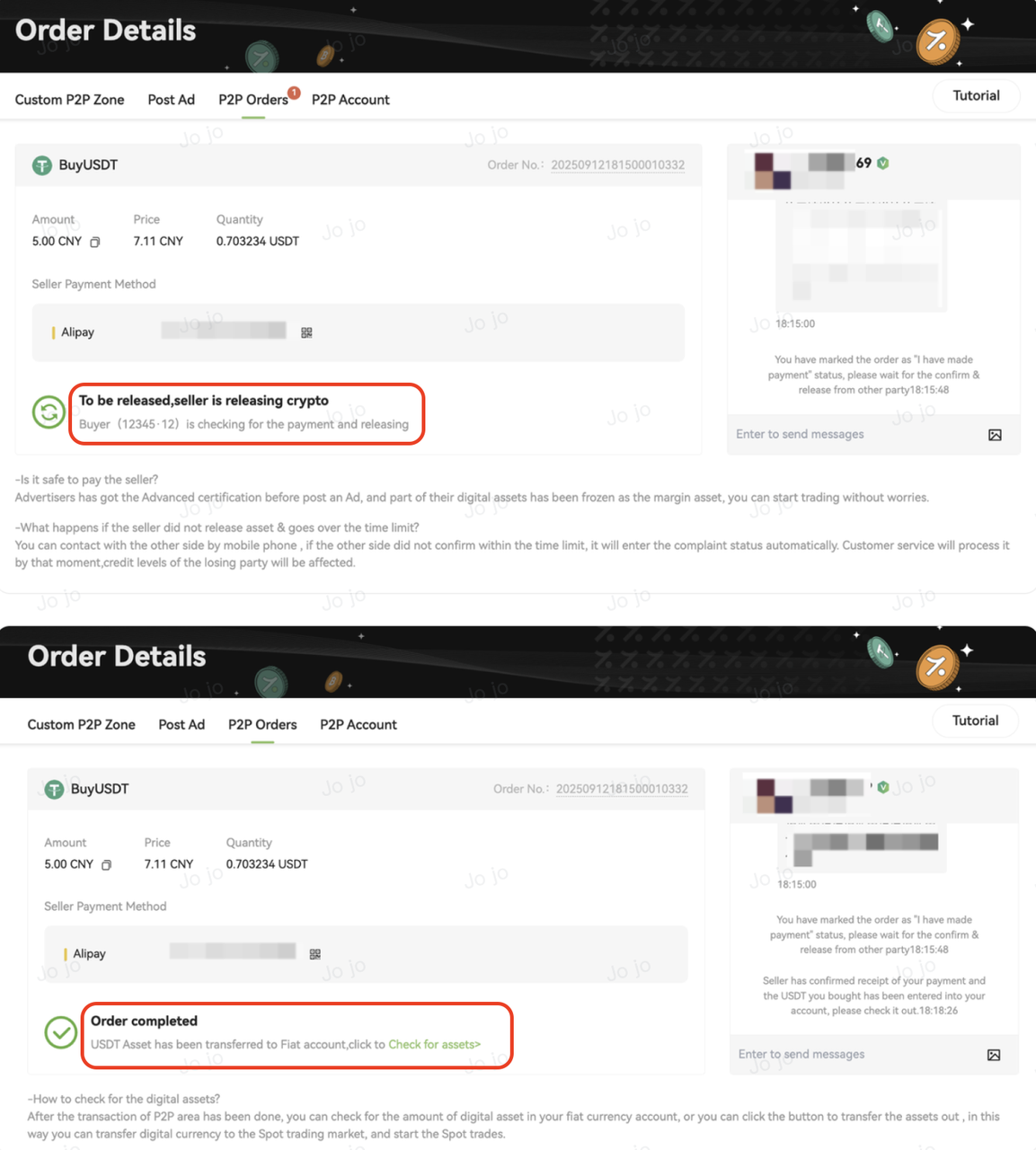
After confirming the payment, the order status will change to Pending Release, indicating that the platform is awaiting the merchant's confirmation. Once the merchant confirms receipt and releases the crypto, the assets will be credited to your account and the order status will be updated to Completed.
- 24-Hour Withdrawal Limit: A 24-hour withdrawal restriction will be triggered on your account after purchasing crypto via fiat.
- Scope of Restriction: This applies to all assets in your account. During this time, on-chain withdrawals and P2P selling will be disabled.
- Available Services: The 24-hour countdown starts from your latest fiat purchase. You may still use your assets for Spot, Futures, and Earn trading within the platform.
Related Articles
How to Sell Crypto via Hotcoin P2P on the Web